Laughing Man is wondering how to get Mises Media feeds into iTunes.
First, the media section on the site has RSS/XML feeds everywhere. You can pull by event, by author, by particular seminar etc.
This is the RSS icon  and when you are on a media page with this icon, that means you can pull the contents of that page into iTunes.
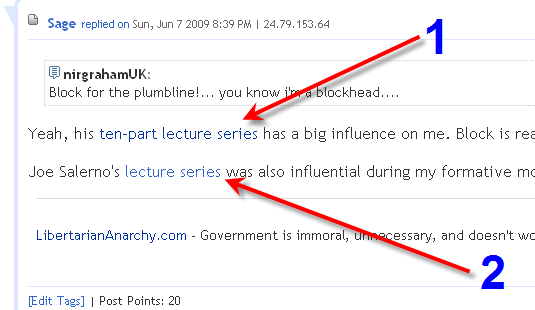
In this thread, Sage is tipping us off to two sets of media. He links them.
Those two addresses are,
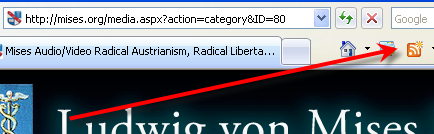
Now if we go to those pages, we will see the orange chicklet icon in Firefox and IE. I think there is an orange RSS icon in Safari. You need the feed from those icons, and those feed URLs are what you will add to iTunes. Not the address of the media page Sage linked to. The address that the orange subscribe chicklet puts in the address bar.
I have created images that should guide us the rest of the way. Ask questions if this isn’t clear.

FIREFOX ^^
Internet Explorer ^^

The feed address in FireFox ^^
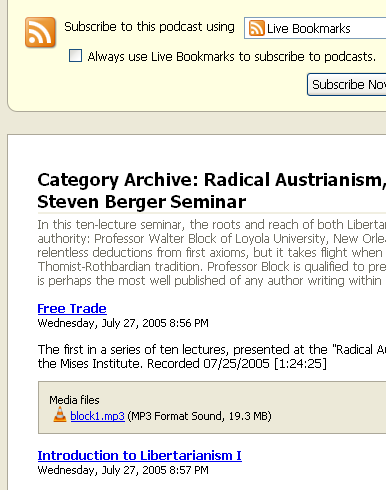
The feed page in Firefox ^^
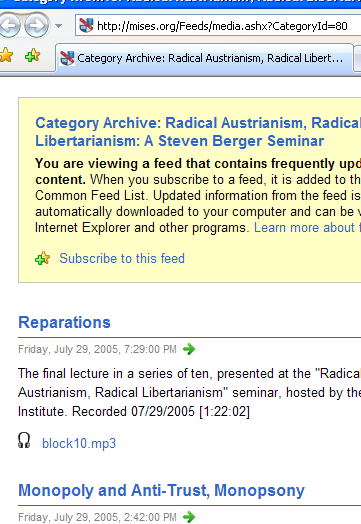
The feed page in Internet Explorer ^^^ with the feed URL at the top.
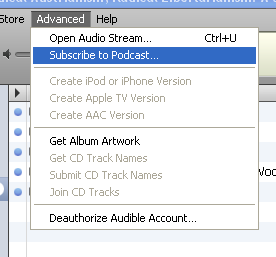
In iTunes under Advanced, we choose Subscribe to Podcast
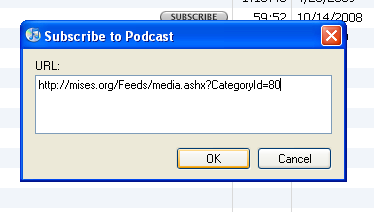
And copy and paste the URL address from our feed page (it will be the same URL in IE or FF).
Click ok, and the feed should start pulling the most recent item. You will have to manually tell iTunes to grab everything.